Edit Text in Image
Box the words in your image, retype them — everything else stays identical
Examples
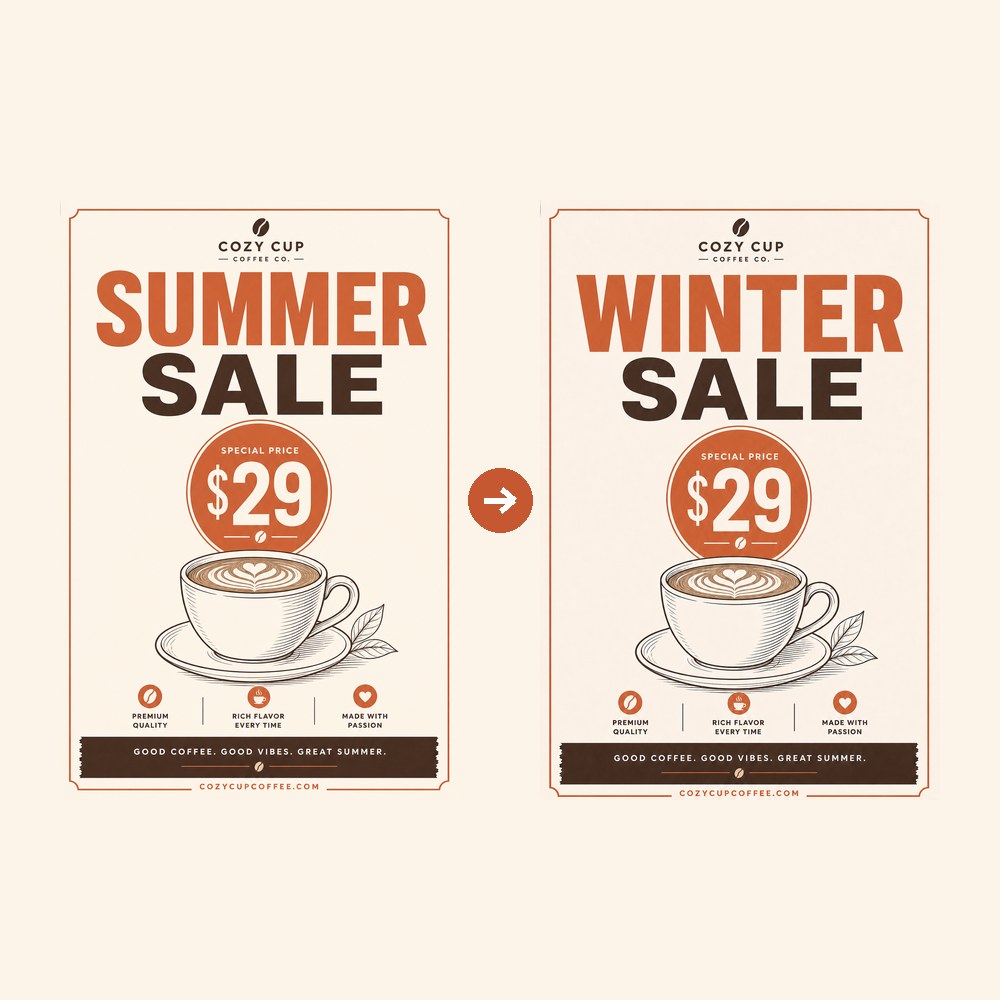 Headline: SUMMER → WINTER (nothing outside the box moved)
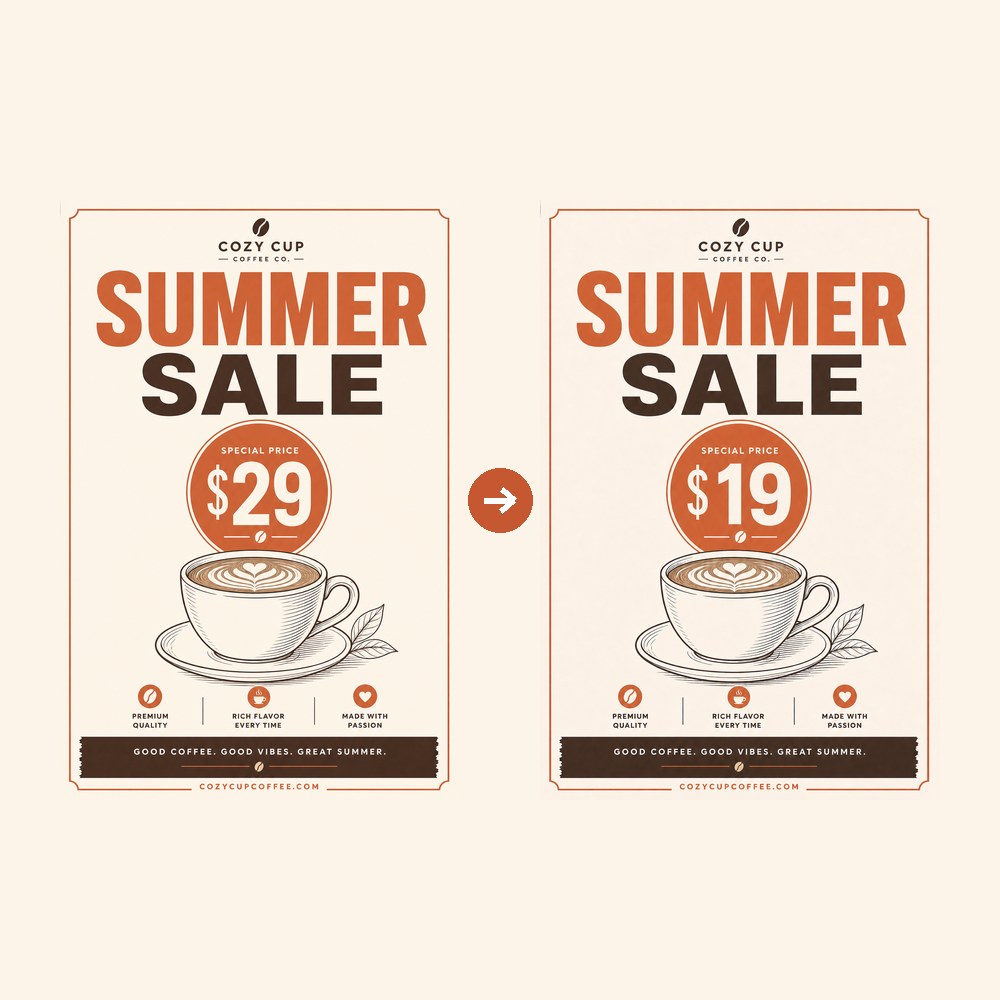 Price: $29 → $19
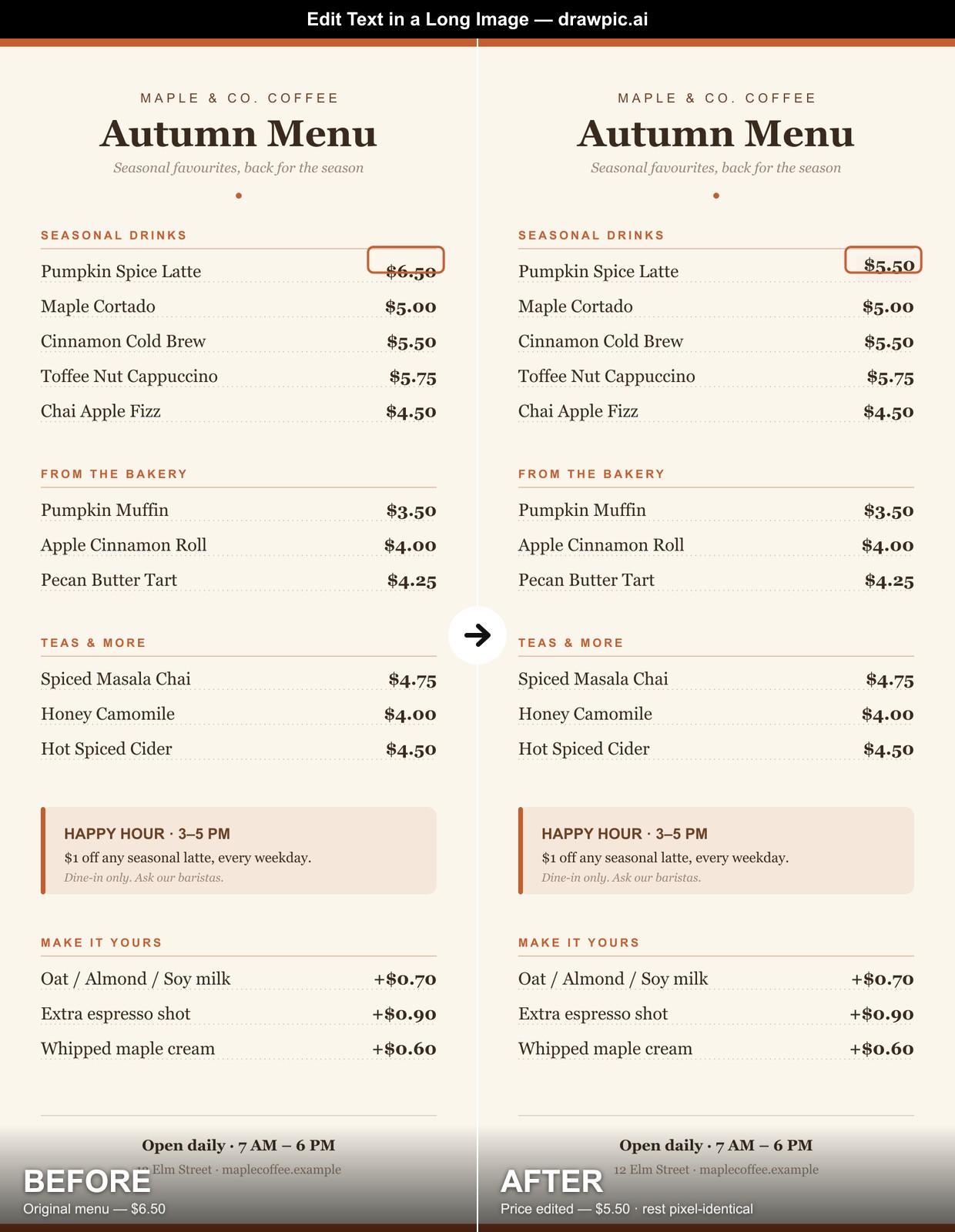 Long menu (tall image): one price changed $6.50 → $5.50, the rest pixel-identical — no height limit
What people fix with it
A typo discovered after the design is finished — or after it's already been printed once — is the classic case. The flyer headline is misspelled and the source file lives on a former freelancer's laptop. Box the word, type the correct spelling, and the design is rescued in one pass.
Marketers reuse one proven layout with different words: swap 'Summer Sale' for 'Winter Sale', test two headlines against each other, refresh the offer line every month — without rebuilding the creative or briefing a designer each time.
It also works on photographs, not just flat graphics: the text on a storefront sign, a product package, a whiteboard in an office photo. The replacement matches the perspective, lighting and texture of the surface.
And localization: keep the layout, swap the language. Box the English headline, type the Spanish one — the same creative ships in a second market without a second design pass.
If an AI image generator gave you a perfect picture with one mangled word in it, this is the cheapest fix: correct the spelling without regenerating — and without gambling away the composition you already liked.
How it works
- Upload the image — poster, menu, screenshot, or a photo with text on it (PNG, JPG or WebP).
- Draw a box around the words you want to change, slightly larger than the text itself.
- Type what the text should say and generate. The output keeps the original image size; download as PNG.
Tips for best results
- Quote the replacement exactly: 'Change "Summer Sale" to "Winter Sale"' beats a vague description.
- Short display text is the sweet spot — headlines, buttons, labels, prices, signs. For paragraph-length text, edit line by line.
- One region per edit; for several changes, download the result and box the next spot.
- Mention the font when it matters: "keep the same font and color".
- Blurry or very small text may come back imperfect — use the highest-resolution original you have.