Fix Garbled Text in AI Images

Love the AI image but the text came out garbled? Box it, type the right words — the picture stays

Click or drop an image here

From any AI image tool: posters, quote cards, covers, illustrations, memes

Box an area in the image above — each box adds an input row here

20credits / run

Describe what you imagine, AI brings it to life

Example

AfterBeforeBeforeAfter

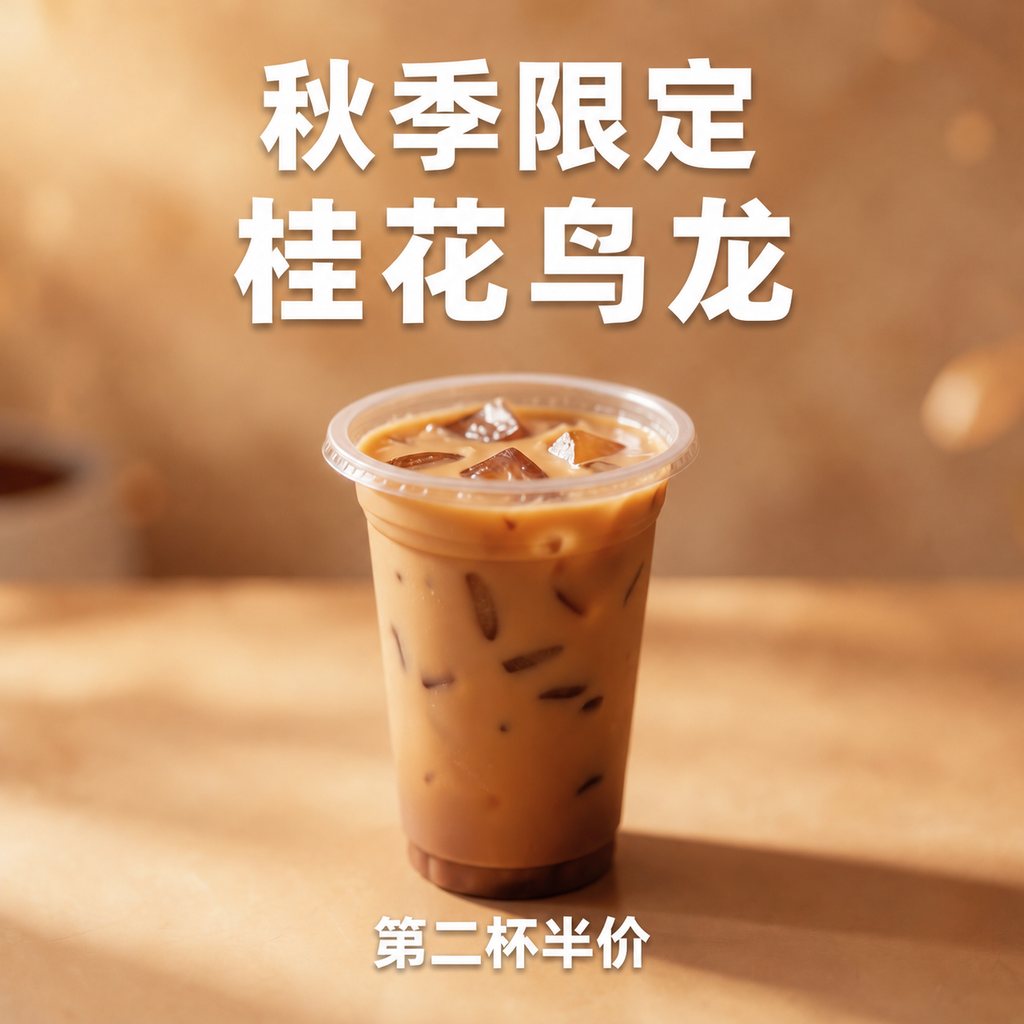
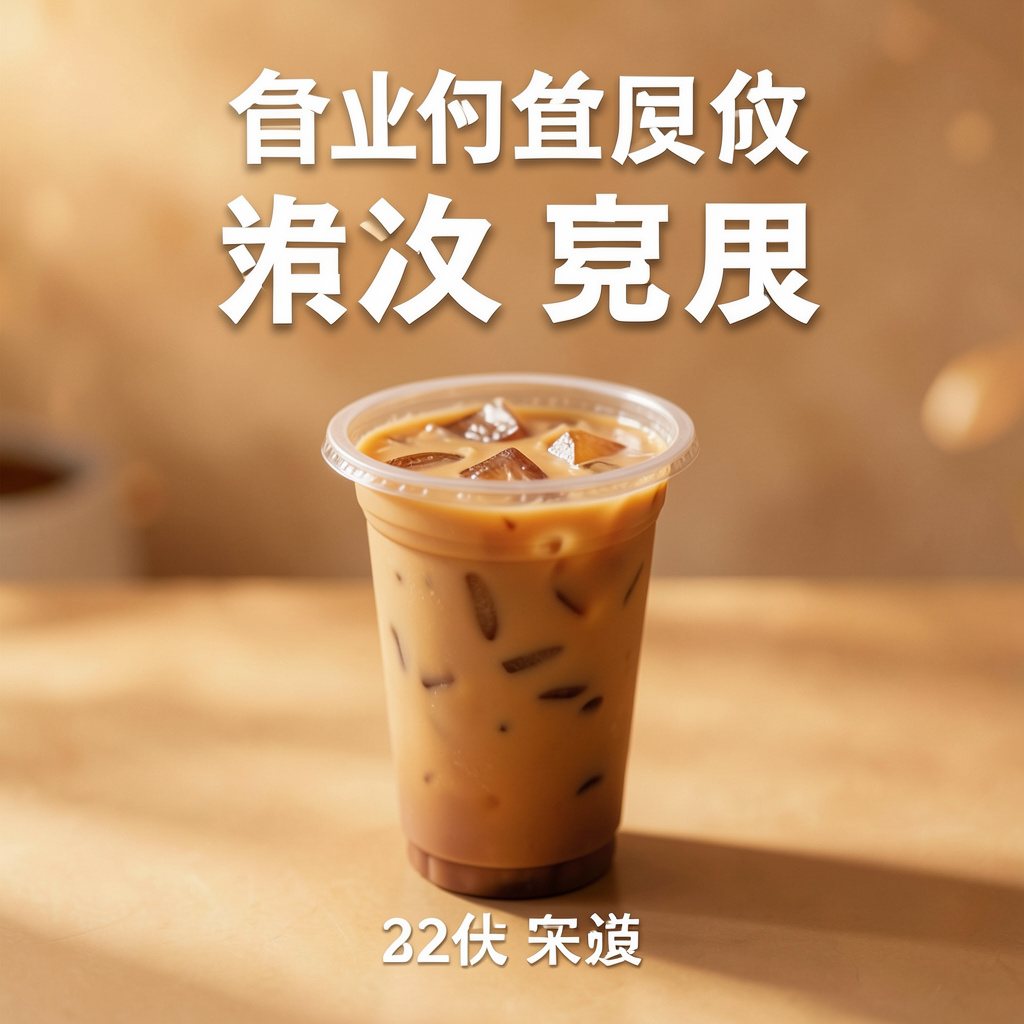
Chinese gibberish: whole headline fixed

This tea poster came out of Flux with a nice picture but a headline made of characters that do not exist. Two boxes — the headline and the footer — each with the correct words, one generation; the cup, lighting and background stay as they were.

Source
Generated with Flux
Boxes
2 (headline + footer)
Attempts
1
AfterBeforeBeforeAfter

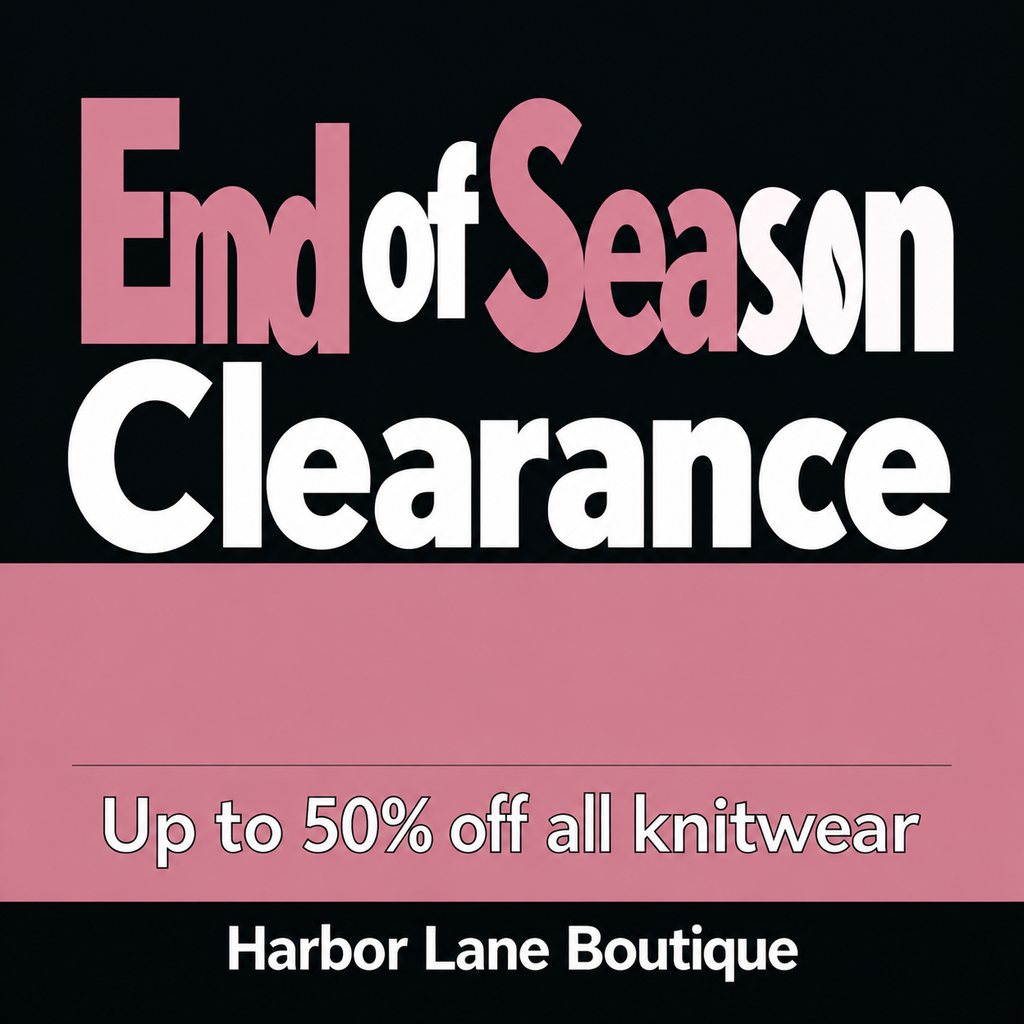
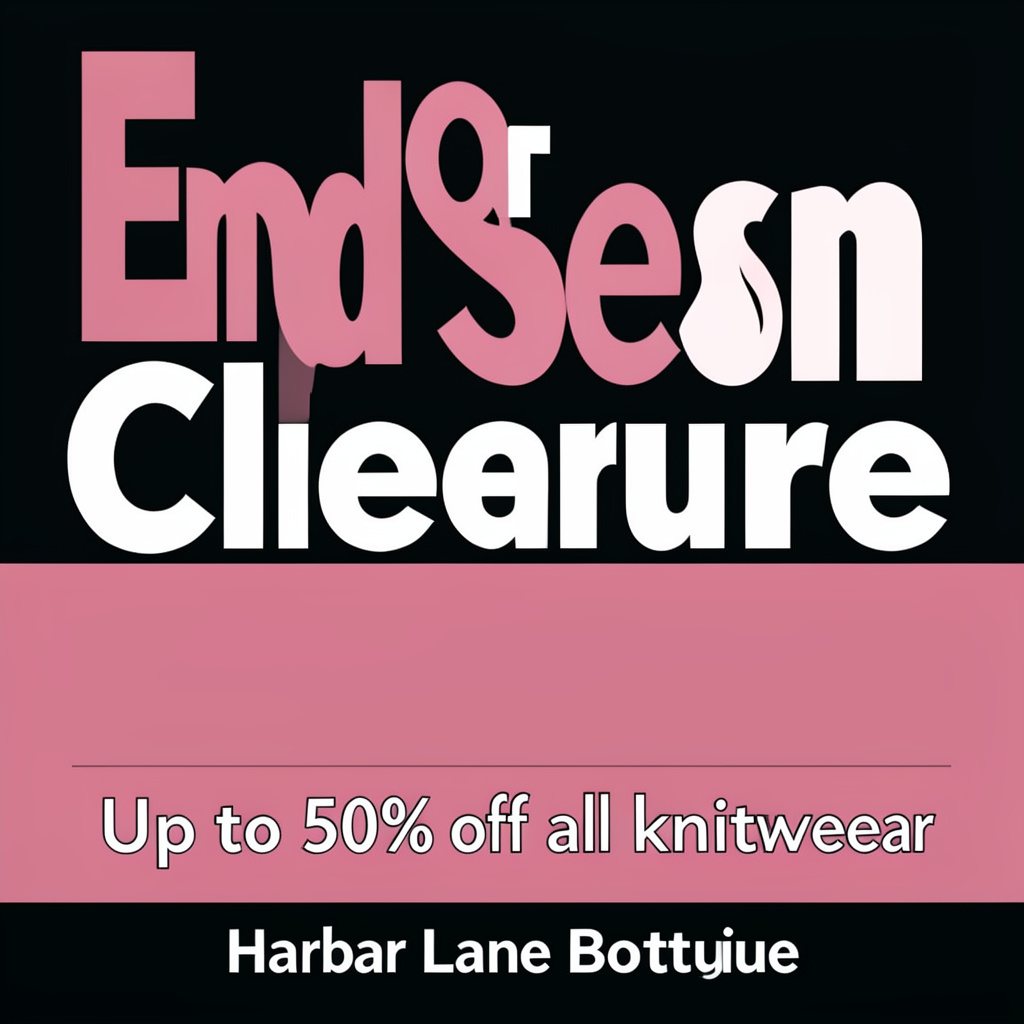
English misspellings: three fixes in one pass

"End Sesn Cliearure", "knitweear", "Harbar Lane Bottuiue" — the AI misspelled the headline and the shop name. Three boxes, three instructions, all corrected in one generation.

Source
Generated with Flux
Boxes
3
Attempts
1

The usual AI text problems

  • Full gibberish: headlines and signs made of strokes that look like writing but are not — most common on Chinese posters.
  • English misspellings: an extra letter, a missing one, letters out of order — especially in shop names and headlines.
  • Near-miss characters: the line looks right at a glance, but individual glyphs are off by a stroke.
  • Mushy small print: packaging copy, on-screen text or the footer turns into blurred strokes.

How it works

  • Upload the AI-generated image (PNG, JPG or WebP).
  • Draw a box around the broken text, slightly larger than the text itself; for several spots, draw up to 4 boxes with one instruction each.
  • Type what the boxed text should say and generate. The output keeps the original size; download as PNG.

Tips for better results

  • Write out the full correct text rather than "fix the typo" — the AI cannot know what you meant to write.
  • For multi-line text, say where the line breaks go: "first line …, second line …".
  • For near-miss characters, box the whole line and rewrite the whole sentence rather than a single glyph.
  • Blurry or tiny text has limits — use the highest-resolution version you have.

Frequently Asked Questions

Which AI generators does it work with?

Any of them — images from Midjourney, Stable Diffusion, Flux, DALL·E and others, including ones that were cropped or compressed afterwards. Upload the image and box the text; you do not need the original prompt.

Why not just regenerate the image?

Regenerating is a re-roll: the text might come out right, but the composition, characters and colors change — the version you liked is gone, and the new text can be garbled again. Here only the boxed text changes and the rest of the picture stays.

Is every fix guaranteed?

Not every time. In our tests, full gibberish and English misspellings were usually fixed in one attempt. The hardest case is near-miss characters — a glyph that is almost right but off by one stroke (common with Chinese) — which the AI sometimes treats as already correct. Boxing the whole line and writing out the complete correct sentence in the instruction works better.

What if it does not fix my text?

Email ray5197@foxmail.com with your account email and roughly when you ran it (no need to re-upload — we can find the generation on our side). We review the original and the result by hand, and if the text really was not fixed, we refund the credits for that run.

Does it change anything outside the box?

Normally no: only the boxed text is rewritten, and the people, background and colors outside it stay the same. Make sure the text you want fixed is inside the box — if the words in your instruction only exist outside it, the AI may edit that spot instead.

Why do AI image generators mess up text?

Most image models paint shapes that look like letters rather than typesetting characters one by one, so complex scripts like Chinese — and small or long text in any language — go wrong easily. Newer models such as GPT Image 2.5 are much better at text, but older and many open-source models still garble it regularly.

Is it free to try?

Yes. Signing up gives you one free fix — no credit card, no subscription. After that, pay-as-you-go credits that never expire.

What can I not use it for?

It is for fixing text in your own posters, covers, illustrations and marketing visuals. Do not use it to alter receipts, IDs, certificates, transcripts, contracts, or any document meant to prove a fact.

Related Tools

Edit Text in ImageBox the words in your image, retype them — everything else stays identicalEdit Numbers in ImageBox a number in your image, type the new one — font, decimals and currency symbols stay putAI Inpaint EditorBox-select an area, change only that — the rest stays untouched